Noah C Huber

Senior Portfolio (Class of 2026)
Bachelor of Arts Applied Computing: Cybersecurity Concentration Degree
View My Resume
Minefield
- Class: CSCI325 Object Oriented Programming
- Grade: A
- Language(s): Java
- Source Code Repository: NoahCHuber/Minefield
(Please email me to request access.)
Project description
The Minefield project is a security-focused application that integrates a game-based authentication system. It presents users with a unique Minesweeper-style challenge before allowing access to a system. Instead of traditional password entry, users must complete a “blind” Minefield game, which lacks the usual numerical hints indicating bomb locations. They are given three flags to mark potential mines and must safely navigate across the board. The game’s mine placements are not random; an organization predetermines them and can be modified in response to security threats. Upon successfully completing the game, users proceed to a login screen, where they must enter their credentials. If they fail either the game or login process, they are required to replay the game before another login attempt. This project merges gaming and cybersecurity to explore alternative authentication methods, demonstrating a creative fusion of interactive security measures and personalized user access. It was inspired by the 1983 film WarGames and serves as a proof-of-concept for integrating game mechanics into network security authentication.
How to compile and run the program
Since the project is written in Java (using Swing for GUI development), it can be compiled and run in NetBeans.
1. Open NetBeans
Launch Apache NetBeans (or another version you have installed). Click on File → Open Project and select the Minefield project folder.
2. Ensure JDK is Set
Go to Tools → Java Platforms and confirm that a Java SE development kit (JDK 8 or higher) is selected. Check that Swing components are enabled.
3. Build/Compiling the Project
Click Run → Clean and Build Project (or press Shift + F11). This compiles the project and checks for errors.
4. Running the Project
Click Run → Run Project. The game should start, displaying the Matrix-style intro, followed by the Minefield game UI.
UI Design
The Minefield project features a graphical user interface (GUI) designed with Java Swing, incorporating multiple screens to enhance user interaction.
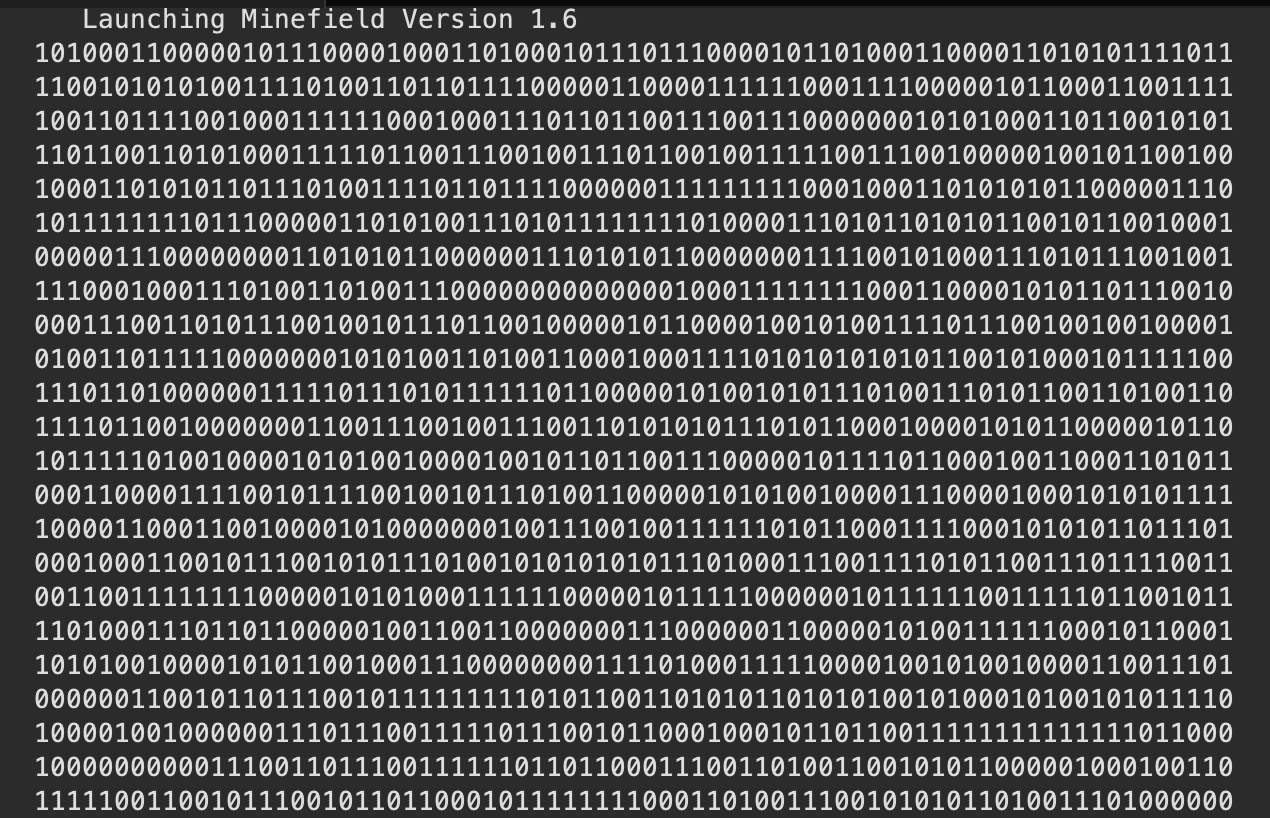
Fig 1. Matrix Zeroes Loading Effect
(Loading screen while the game loads)
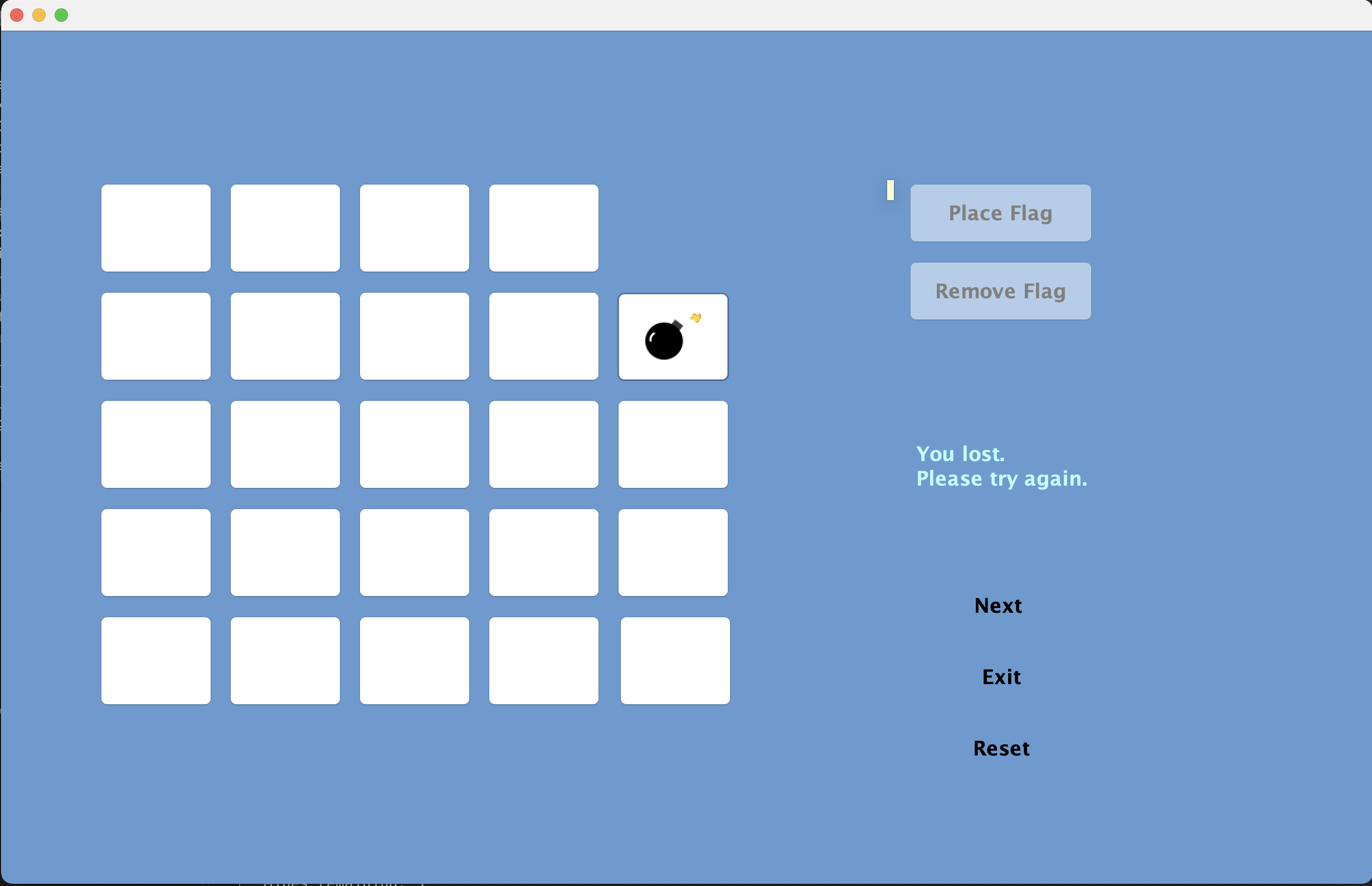
Fig 2. Game Screen UI
(Example of the game screen)
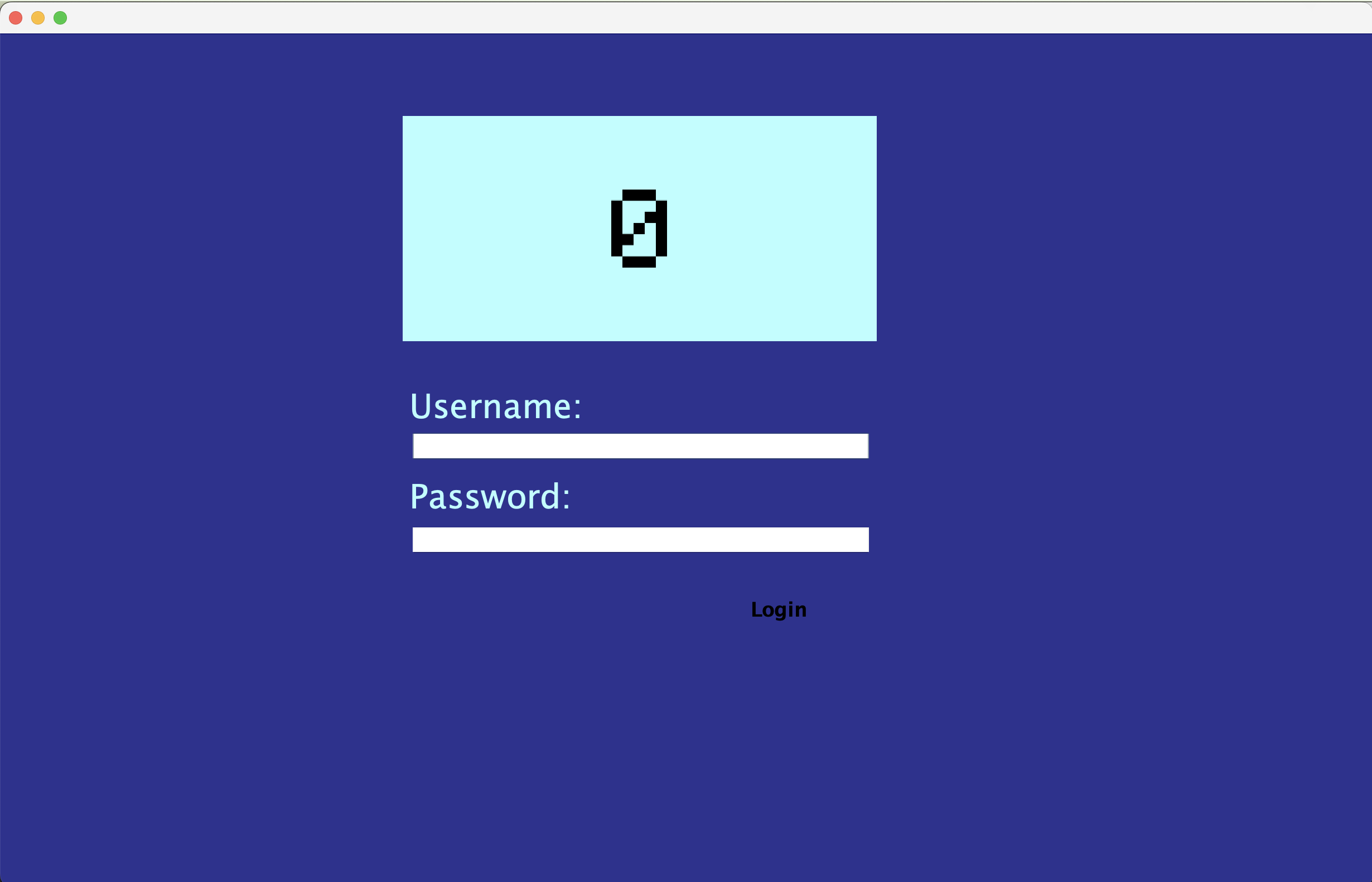
Fig 3. Login Screen UI
(Example of the login screen)(This may look different depending on the OS)
3. Additional Considerations
If you are trying to run the Minefield program, here are a few important things to keep in mind:
System Requirements:
The program is written in Java, so you must have JDK 8 or later installed. A computer with at least 4GB of RAM is recommended for smooth execution. Older or low-powered machines may experience slow UI rendering.
Common Errors & Fixes:
“Main class not found” error: Make sure the project is properly built (Clean and Build Project in NetBeans). UI not displaying correctly: Some systems may have issues with Java Swing scaling (ESPECIALLY MACOS).
Security Considerations:
Since the program includes an authentication system, ensure that your login credentials are correctly stored and match the program’s requirements. (These are pre-written in the game’s code) If login attempts fail, you will need to replay the Minefield game before trying again.